Issue 038
Topic: Scams and safety
You were told to be careful on public Wi-Fi. Your phone had already joined.
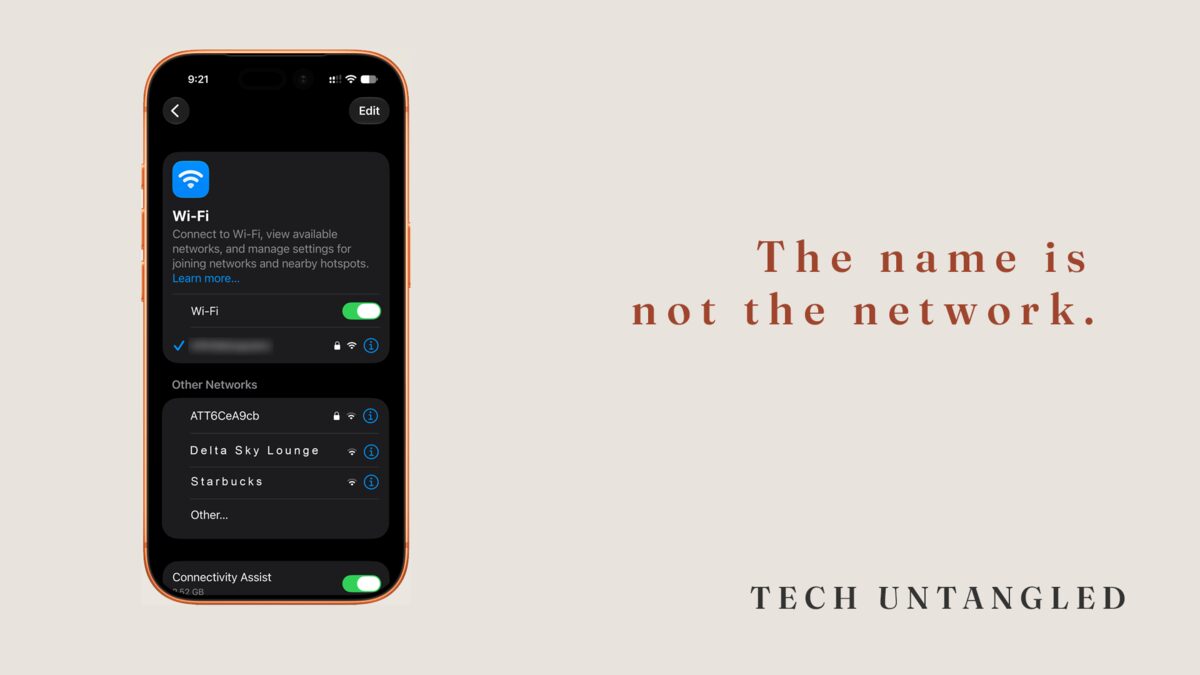
In April 2024, staff on a domestic flight in Australia noticed a Wi-Fi network broadcasting on board that was not theirs. The name looked right. It was not the plane's. They reported it, and the Australian Federal Police opened an investigation.
What that investigation found was that the same setup had been running on the ground, at airports in Perth, Melbourne and Adelaide. A man was carrying a small piece of hardware that listened for the networks nearby phones were already looking for, then answered as though it were one of them. Phones connected. Passengers were then shown a page asking them to sign in with an email or social media account to get online. Those credentials were saved to his device. The internet never arrived. He was sentenced in November 2025 to seven years and four months.
The part worth sitting with is not the hardware. It is one detail in the middle of it. The phones connected on their own.
The warning you were given got fixed
For a long time the advice about public Wi-Fi was simple, and it was correct. Do not do anything important on it. No banking, no shopping, nothing that needs a password.
That advice came from a real problem. Websites used to send information across the network as plain readable text, so anyone else sitting on the same network could watch it go past. There was nothing clever about doing it.
Then the web changed underneath the advice. Encryption stopped being a feature and became the default. It scrambles what travels between your device and the site, so the network carrying it cannot read any of it. Browsers now put a warning on pages that lack it, which is the exact reverse of how it used to work.
The Federal Trade Commission's own consumer guidance says it plainly. Connecting through a public Wi-Fi network is usually safe.
The old advice did not become wrong because somebody lied to you. It went out of date because the thing it protected against got repaired, and nobody sent a notice.
Your phone rejoins by name
Your phone keeps a list of every Wi-Fi network you have ever joined. Not the equipment. The name.
When it sees a name from that list, it joins. Quietly, without asking you, usually before you have taken the phone out of your pocket. That is a useful feature and it is the reason you have never once had to think about getting back on your own Wi-Fi at home.
The list has no expiration date. A hotel you stayed at one night in 2019 is still on there.
And a network name is a word somebody typed. There is no registry of them, no verification, nothing at all stopping a person from broadcasting a network called the same thing as the airport's. Your phone cannot tell the two apart, because from where it is standing there is nothing to tell apart. The name matched.
Back in issue 032 I told you that caller ID is a label the network passes along in good faith, and that anyone can type whatever they want into it. I never thought to say the same sentence about Wi-Fi names. It is the same sentence.
The page is the point
Once your phone has joined something, the danger is not that a stranger is reading your banking. Encryption still holds, and it holds whether the network is honest or not.
The danger is the page you get shown next.
You already know that page. It is the one that turns up at hotels and airports asking you to accept the terms, or enter a room number, or tap a button that says Connect. It has a name, a captive portal, and years of them have trained you to expect one and to do what it asks so you can get on with your day.
That is the entire opening. A fake network does not have to break anything. It only has to put a form in front of you at the moment you were already expecting a form.
The one in the Australian case asked people to sign in with an email or social media account. That is the tell, and it is worth keeping on its own, separate from everything else here. No real Wi-Fi network needs the password to a different account of yours. A last name and a room number, sometimes. An email address so they can send you offers later, often. The password to your email, never.
A page asking for a password to something that is not the Wi-Fi is not a Wi-Fi page.
About VPNs
The usual answer offered for all of this is a VPN, so it is worth being exact about what one does. A VPN routes your traffic through a company's servers before it reaches the internet, so the network you are sitting on cannot see where you went.
That is real, and it is also solving the problem that already got solved. It does nothing about the part that actually goes wrong, because a VPN will carry your password to a fake sign-in page as faithfully as it carries anything else.
There are reasonable reasons to run one. Just do not install it believing it stands between you and the coffee shop, because the coffee shop stopped being the thing to worry about a while ago.
Three things, and only one of them is a setting
Use your own phone as the network when it matters. Every current phone can share its cellular connection with a laptop or tablet. It is called a personal hotspot on iPhone and a mobile hotspot on Android, and it sits near the top of the settings app on both. It is your connection, nobody else is on it, and the question of whether the network is genuine never comes up. For anything sensitive on a laptop, this is the whole answer.
Turn off automatic joining for places you do not live. On an iPhone, open Settings, tap Wi-Fi, tap Edit in the top corner, then tap the small information button next to a network. Auto-Join is the toggle near the top of that screen, and Forget This Network is on the same screen underneath it. On Android, the saved networks live under Settings, then Network and internet, then Internet. Touch and hold a saved network there and you will be offered the option to forget it. The wording on the automatic-connection toggle changes from one phone maker to the next, so if you cannot find it, forgetting the network does the same job.
Never give a Wi-Fi page an account password. There is no version of this that is fine. It is the single rule that would have protected every person in that airport.
One Simple Win
Open your saved Wi-Fi list and forget every network on it that is not somewhere you actually go.
On an iPhone that list is under Settings, then Wi-Fi, then Edit. On Android it is under Settings, then Network and internet, then Internet.
You are looking for hotels. Airports. Coffee shops, conference centers, a hospital waiting room, a rental you stayed in one summer. Names you do not recognize at all, which there will be more of than you expect.
Forget all of them. Your phone will still walk onto your home network and your office network without being asked, because those are the ones you are keeping. Anything else you can rejoin by hand in about four seconds if you ever stand in that building again, and that time you will be the one deciding.
It takes three minutes, and it is the only step here that removes what makes the whole trick work.