Issue 037
Topic: Everyday tech
You deleted the app months ago. The charge is still going out.
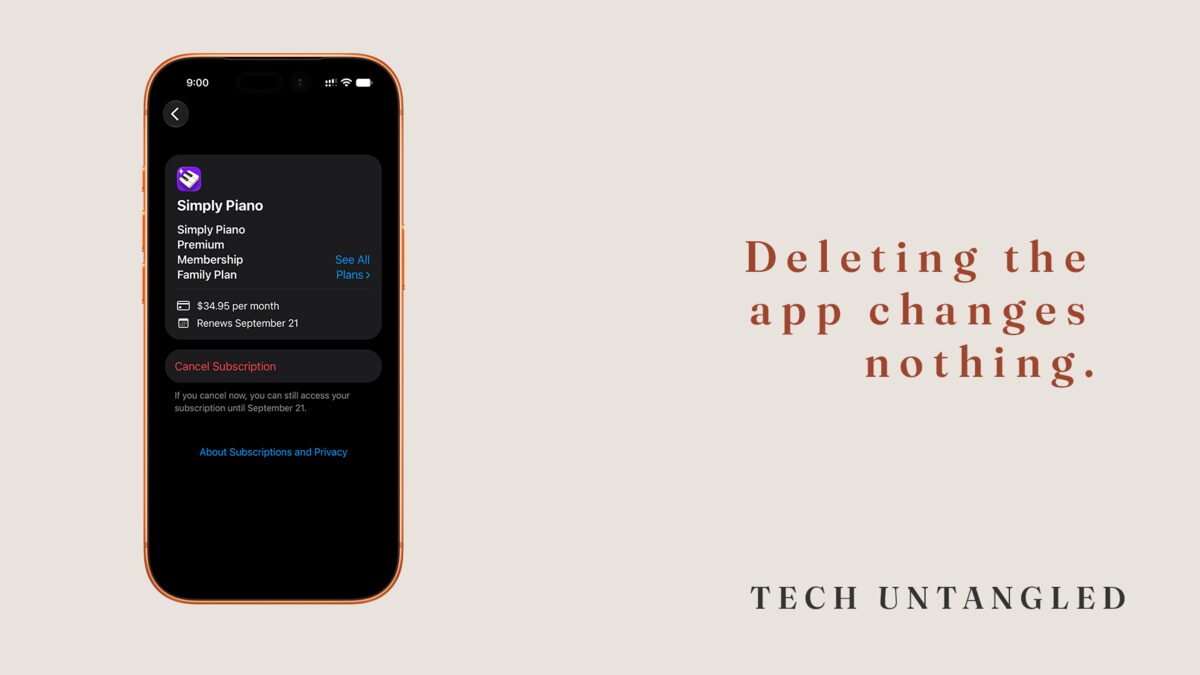
I was reconciling a bank statement for something else entirely when I found a line I could not account for. Small. Under ten dollars. The name on the charge was a word I did not recognize.
It took me a while to trace it. A photo editing app I had installed for one specific job, used a handful of times, and deleted off my phone the same season I installed it. It had not lived on any device I own in a long time. It had been billing me the entire time.
I spend more time inside device settings in a week than most people do in a year. I still paid that company for a couple of years to keep something I had thrown away.
The app was never the thing charging you
When you sign up for something inside an app, you are not really making an arrangement with the app. You are handing a standing instruction to whoever processed the payment. On an iPhone that is usually Apple. On Android it is usually Google. Sometimes it is the company itself, through their own website.
A subscription is an instruction that repeats. Not a purchase that finishes. The instruction reads: on this date, every month, move this amount, and keep doing that until somebody tells you to stop.
Nothing in that arrangement has an ending built into it. That is not a loophole somebody snuck in. That is the design. A charge that stopped on its own would be a trial.
Deleting the app takes away your access. It does not touch their instruction.
Deleting an app removes it from your phone. That is the entire extent of what deleting does.
The instruction lives somewhere else, with the store that took the card, and that store has no way of knowing you dragged an icon into the trash. Nothing about the deletion travels back to the billing.
This is the part that catches almost everyone, and it catches them in the most expensive way available. Deleting the app is the exact moment you stop being reminded that any of it exists. No icon on your home screen. No notification. No app opening to a screen that mentions what you are paying.
The amount is small on purpose. Small enough to read like a rounding error on a statement you were skimming anyway.
A free trial is a subscription that already started
A trial is not a sample somebody handed you. It is a subscription with the first payment postponed. The signup already happened. The card is already attached. The only thing standing between you and a charge is a date that nobody wrote down for you.
Here is what I do, and it takes about ten seconds. The moment I start a trial, before I have really used the app at all, I open the subscriptions screen and cancel it. Right then, while I am still standing there thinking about it.
For almost every app that is not Apple's own, cancelling does not end the trial. You keep the full trial period you signed up for. It just stops at the end instead of rolling into a charge. So you get the entire trial, and you have already removed the one step you were going to forget seven days later.
Apple's own services are the exception. Cancel a trial of something like Apple Music and your access ends the moment you confirm. The confirmation screen tells you which situation you are in, so read it before you tap.
If you would rather not cancel up front, Apple's guidance is to cancel at least 24 hours before the trial ends, because the renewal can process before your cancellation does. That works too. It just asks you to remember a date, and remembering the date is the part that fails.
Not everything you pay for shows up in the list
There are three places a recurring charge can be set up, and only two of them are easy to find.
If you subscribed inside an app on your phone, it is sitting in your store account, and there is one screen that shows every one of them together.
If you subscribed on a company's website using your card, the store never saw it happen. It will not appear in that list and it never will. Cancelling it means going back to that company's own account page and finding the setting there.
And if you signed up years ago on a device you no longer own, using an account you no longer check, it is still running right now. The payment does not care which phone you are holding.
The only genuinely complete list of what you are paying for is your card statement. Everything else is a partial view.
Where the list actually lives
On an iPhone, open Settings, tap your name at the very top, then tap Subscriptions. Everything billed through Apple is on that screen, active and expired both, with the renewal date and the price next to each one. Tapping any of them gives you the option to cancel.
On Android, open the Play Store, tap your profile picture in the top corner, then Payments and subscriptions, then Subscriptions. Same idea, same information.
For anything you bought on a website, search your email for the word receipt or the word renewal. The company billing you has almost certainly been sending you messages about it, and those messages are sitting in a folder you stopped opening a long time ago.
One thing worth knowing before you cancel anything: cancelling stops the next charge. It does not refund the last one, and for anything you have already paid for, it does not cut you off early. You keep the thing until the period you paid for ends.
So there is no reason to wait until the day before. Waiting is how the charge happens.
One Simple Win
Open the subscriptions screen on your phone right now and read the list out loud.
Not a full reconciliation. Not a budget. Just read it, out loud, one line at a time.
Most people find at least one entry they cannot explain, and hearing it said out loud is what turns it into something cancelled rather than something noticed and forgotten by dinner.
Cancel that one. Leave the rest for an afternoon when you have one.