Issue 033
Topic: Device care
In September, your phone will ask you to go first. You don't have to.
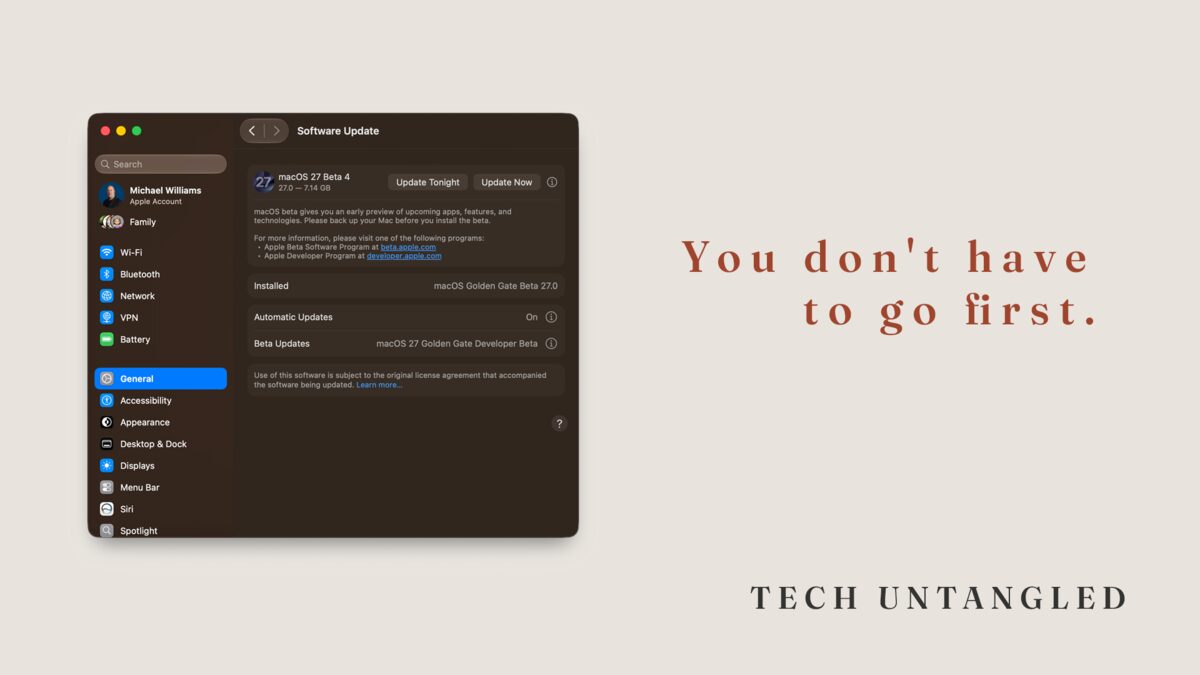
My Mac asked me again this morning whether I wanted to install the next beta of macOS 27. I said yes, the same as I've said yes every round since June. Not because I need a redesigned Siri eight weeks early. Because I want to know what breaks.
It is not a pleasant way to use a computer. Apps stop launching. The battery does odd things. Twice this month something I depend on simply refused to open. I keep doing it anyway, for a reason that's honestly a little selfish: when something on your screen looks different in September, I want to already know the answer instead of finding out at the same time you do.
New doesn't mean finished
Here's the part nobody explains. A brand new major version is the least tested version that version will ever be.
That sounds like a knock on Apple. It isn't. No company on earth can reproduce every combination of hardware, apps, printers, accessories, and home networks that actually exists out here. There is no lab big enough. So they build the thing, hand the unfinished version to people willing to run it on real machines, and wait to hear what falls over. That's what a beta is. Thousands of us using it badly in the wild, sending reports back through a built-in app called Feedback Assistant that ships the logs along with the complaint.
A bug that shows up on a few hundred machines in July gets fixed before it reaches millions in September.
Then September arrives, the finished version ships, and the next round of testing begins. Except this time the testers didn't volunteer. They just tapped the button because their phone asked them to.
Two different things wearing the same word
Back in issue 002 I told you that updates exist mostly to patch security holes that attackers already know about, and that you should turn on automatic updates everywhere. I still mean every word of that. But I left something out, and it's the distinction that makes the whole thing actually work.
There are two kinds of updates, and we call them both "updates."
A major version upgrade replaces the operating system underneath everything. iOS 26 becomes iOS 27. macOS 26 becomes macOS 27. New name, new look, new bugs.
A point update repairs the version you already have. 27.1, then 27.2, then 27.3. Security patches and fixes for the things that turned out to be broken.
Major version upgrade: wait.
Point update: install it.
Those two instructions aren't in conflict. They're the same instinct pointed at two different things. One is a renovation. The other is fixing the leak.
In my IT work, my standing practice is to let a major release sit for a couple of months before I approve it for a client or a team member. Not because updating is bad. Because I would rather somebody else be the one who discovers that the accounting software and the new version disagree about printers.
What's actually coming
Apple released the public betas of iOS 27, iPadOS 27, and macOS 27, which they've named Golden Gate, on July 13. The finished versions are expected in September, alongside the new iPhones. That's about six weeks out.
If you'd like to test alongside me, the Apple Beta Software Program at beta.apple.com is free and open to anyone. Developer betas start first, in June, right after Apple's summer conference. The public betas follow about a month later, once the roughest edges have been sanded down, and from that point both groups are running the same builds.
One correction while I'm here, because it's still written wrong all over the internet and I've probably repeated it myself: you no longer need the paid $99 developer membership to run developer betas. Apple opened that up in 2023. A free Apple Account and the Apple Developer app will get you there. The paid program is for people who ship apps to the App Store.
Now the part I'd rather you read twice.
Beta software does not belong on the device you use every day. If you own one phone, that is not the phone to test on. If you own one Mac, that is not the Mac. There is no prize for going first, and there is a very real cost to being unable to do your job on a Tuesday.
Some of you aren't being asked at all
This next part will matter more to some of you than everything above it, and it has nothing to do with waiting.
macOS 27 Golden Gate runs only on Apple Silicon Macs. That means an M1 chip or newer, so roughly late 2020 onward. Every Intel Mac is finished. Not "should upgrade soon." Not being offered it at all.
You can check in about fifteen seconds. Click the Apple menu in the top left corner of your screen and choose About This Mac. You're looking for a line that says either "Chip," followed by something like M1 or M2 or M3, or "Processor," followed by Intel.
If it says Intel, nothing dramatic happens to your Mac in September. It keeps working exactly as it does today. Apple has typically continued shipping security updates for roughly three years past a Mac's last supported version, so you are not suddenly exposed. What you now have is information. You know the date your machine stopped being on the road map, and that is precisely the kind of thing I argued in issue 009 should drive a replacement decision, rather than how old the thing feels.
Knowing in July is better than finding out at a store counter in December.
What to do when the banner shows up
Your iPhone will not jump to iOS 27 on its own. A major version upgrade waits for you to say yes, and that stays true even with automatic updates switched on. The decision is genuinely yours, which means doing nothing for a few weeks is a real and legitimate choice, not neglect.
What you do want running on its own is the security side. On both iPhone and Mac, the automatic update controls are split into separate switches, and one of them covers security responses and system files. That's the one that closes an actively exploited hole without waiting for a full release. Leave it on. Turn it on if it isn't.
On iPhone, open Settings, then General, then Software Update, then Automatic Updates.
On a Mac, open System Settings, then General, then Software Update, and open the Automatic Updates control sitting next to it.
The same principle travels. Windows separates its monthly security updates from its big annual feature updates, and you can defer the feature update while the security patches keep arriving. Android version upgrades work the same way, though the timing depends entirely on who made your phone.
Then, in September, when the new version appears with its bright announcement screen and its list of features, you can look at it and simply not tap it. Give it four to six weeks. Let 27.1 arrive. The people who went first will have found the thing that breaks, they'll have reported it, and it will be fixed by the time you get there.
That isn't falling behind. That's letting the testing finish before you walk in.
One Simple Win
Open Software Update on your phone right now. On iPhone that's Settings, then General, then Software Update. Tap Automatic Updates and confirm the security switch is turned on.
Two minutes. It's the one update setting that should never wait, and it's the thing that lets you comfortably ignore everything else in September.