Issue 044
Topic: Device care
You gave away the phone. It still thinks it's yours.
When I worked at Apple, I had some version of the same conversation over and over. Someone would bring in an old iPhone to trade in, and we couldn't accept it because it was still activation locked. Or someone would come to me with an iPhone they'd bought on eBay or Facebook Marketplace, it was activation locked, and the seller was nowhere to be found.
These days family, friends and neighbors give me their old phones, and my own old gear ends up in the same pile. I'd much rather a phone go to somebody who can use it, or at least get recycled properly, than sit in a kitchen drawer for years. None of those phones can go anywhere until the person who owned it lets it go, and erasing it doesn't do that on its own.
A phone belongs to an account, not only to whoever is holding it
When you set up your phone, it asked you to sign in. On an iPhone that's your Apple Account. On an Android phone it's your Google account. That sign-in did more than bring over your contacts and photos. It tied the phone itself to you.
Apple calls this Activation Lock. While it's on, the phone won't let anyone set it up again without your Apple Account password, even after everything on it has been erased. Android phones have their own version. After a reset, the phone asks for the Google account that was on it before, and Google's help page says that if nobody can sign in with that account, the phone can't be used at all.
It was built with thieves in mind. If erasing a stolen phone were enough to make it usable again, erasing is the first thing a thief would do. So the lock lives with your account instead of with what's stored on the phone, and wiping the phone clean leaves the lock right where it was.
The lock has no way of knowing whether the person holding your old phone stole it or got it from you as a hand-me-down, so it treats them the same.
Back in issue 016 I wrote about my friend Lucas, whose family couldn't get past Activation Lock on his grandfather's devices after he died. I ran into it again recently helping a woman who inherited her late mom's iPhone. I sent Apple the death certificate and everything else they asked for, and they still wouldn't unlock it. Apple's own help page says that along with a death certificate it might require a court order or other documentation. That's the same lock doing what it was built to do, for someone who isn't there anymore to type the password.
Letting go is a separate step, and it comes first
The order matters. You sign out of your account on the phone first, because that's the step that releases it. Then you erase it.
Apple has folded the two together on recent iPhones. When you tap Sign Out, it asks whether you want to erase the phone in the same step. If you erase it from the phone's settings instead, the iPhone turns the lock off as part of erasing, but it asks for your Apple Account password first.
It's worth planning for that password prompt. The password is the proof that you're the owner, and the phone has no way around it. If you're not sure you know your Apple Account password, sort that out a day ahead, so nobody is standing in your kitchen waiting while you try to remember it.
On Android, you remove your Google account from the phone before you reset it. Google adds one detail of its own: if you've changed your Google password recently, its help page says to wait 24 hours before resetting.
If the phone already left still signed in
It can be fixed without getting the phone back.
For an iPhone or iPad, go to icloud.com/find on any computer and sign in. Pick the old device from your list and erase it. When the erase finishes, choose Remove This Device. Apple says that removes the lock right away, and the new owner can set the phone up as their own.
For an Android phone, the new owner will hit a screen during setup asking for your Google account. The simplest fix is to sit down with them, sign in once to get past that screen, then remove your account in the phone's settings and reset it again so it starts fresh for them.
Before a phone leaves your hands
On an iPhone:
If an Apple Watch is paired to it, unpair the watch first.
Back the phone up, or make sure your new phone already has everything.
Open Settings, tap your name at the top, scroll to the bottom and tap Sign Out. If it offers to erase the iPhone, choose that.
If it doesn't offer, go to Settings, then General, then Transfer or Reset iPhone, then Erase All Content and Settings.
An iPad works the same way. A Mac that's signed in to your Apple Account can carry the same lock, so sign out before you erase it too.
On an Android phone:
Back it up.
Remove your Google account from the phone. It's in Settings, usually under Accounts or Passwords and accounts. The name changes depending on who made the phone.
Then reset it. Type "reset" into the search bar at the top of Settings and it will take you there.
Google says to charge it to at least 70 percent and keep it on Wi-Fi first, because a reset can take up to an hour.
One Simple Win
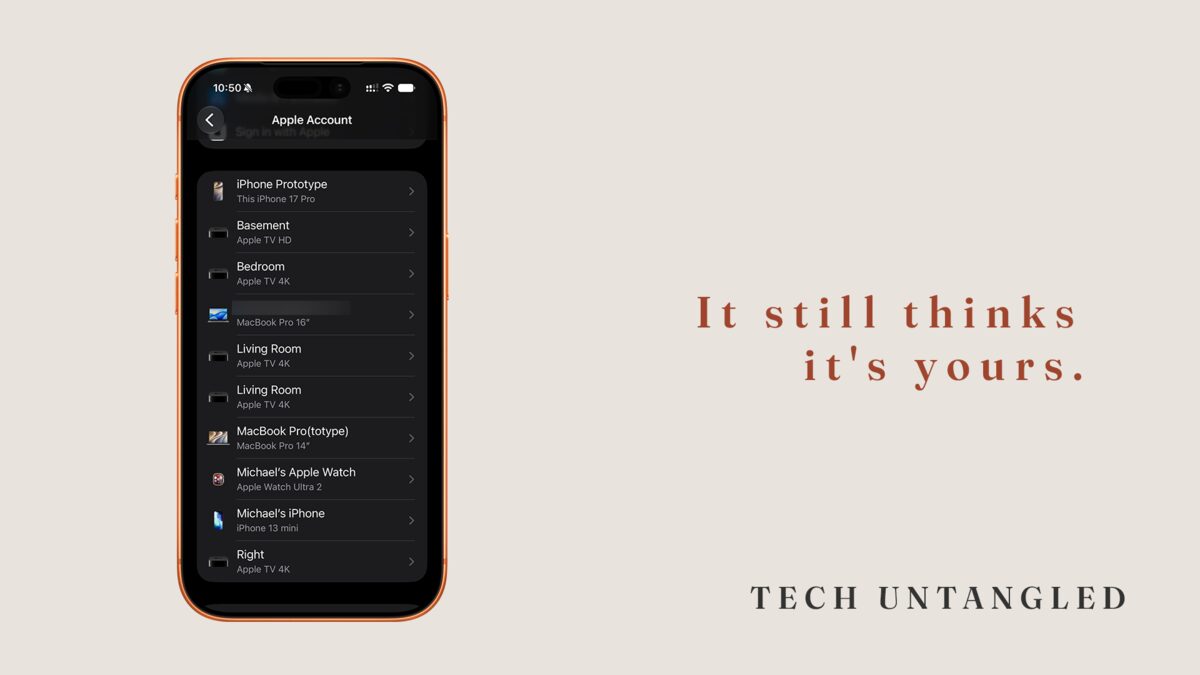
Open Settings on your iPhone, tap your name, and scroll down. Every device signed in to your Apple Account is listed there, old ones included.
On Android, or from any web browser, go to myaccount.google.com, open Security & sign-in, and choose Manage all devices under Your devices.
Read the list. If there's a phone or tablet on it that you don't use anymore, find it and put it on the charger, so it's ready the day you sign it out and pass it along. It takes about five minutes.