Issue 036
Topic: Everyday tech
You've been saving phone numbers. Your phone was asking who they are.
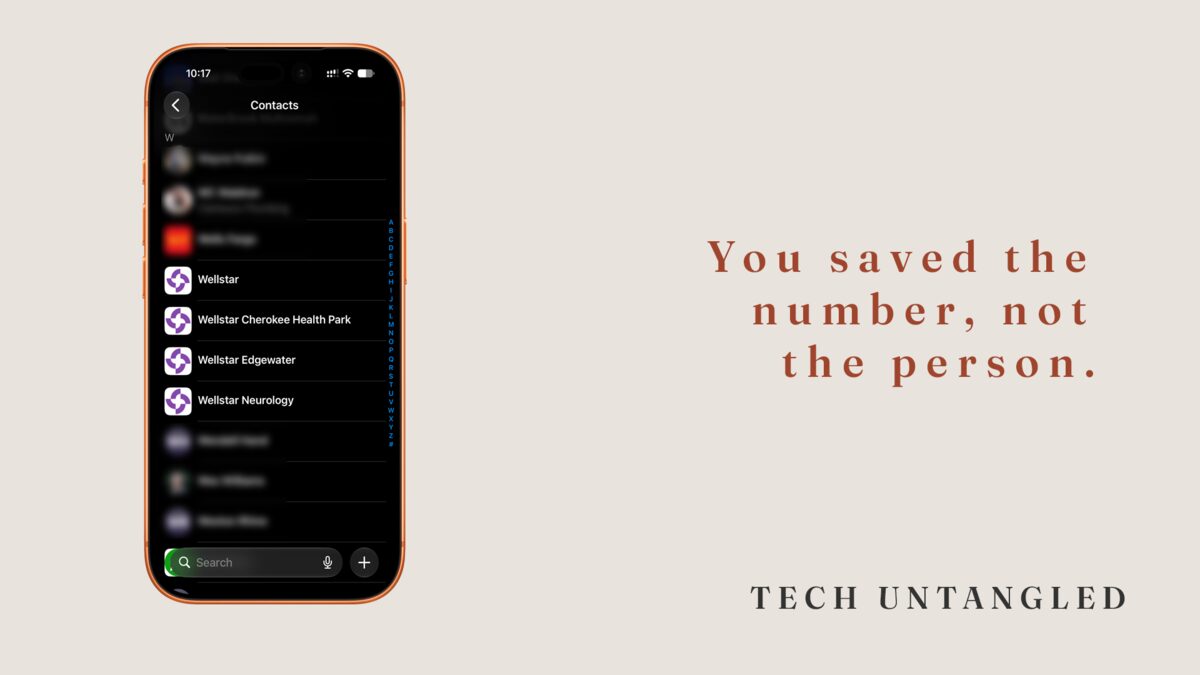
A few months back a hose let go behind my washing machine. I called the first plumber who picked up, he came out the same afternoon, and somewhere in the middle of all that I saved his number.
Last week I needed him again. I opened Contacts and searched "plumber." Nothing. I searched "plumbing." Nothing. What I eventually found, buried in the alphabet, was an entry that said "Mike." No last name. No company. No note. Saved by a man standing in two inches of water who had about four seconds of attention to spare.
That entry is not useless because I was careless. It's useless because the moment my phone asked me to save a contact was the worst possible moment to ask.
Your address book is the answer key
Here's the part nobody explains. Contacts is not a phonebook. It's the one file every other app checks when it needs to know who a human being is.
When a call comes in and the screen shows a name instead of a number, that's Contacts. When Messages keeps a year of texts in one thread instead of four, that's Contacts. When Mail finishes an address after you've typed three letters, when your car display shows a name, when Find My tells you who shared their location, when your watch decides a notification is worth buzzing for. All of it is reading the same file.
Your phone is exactly as smart about people as that file is complete. Not smarter. Save a bare number and a bare number is what it has to work with.
The Save button always arrives at the wrong moment
Think about when your phone actually asks you to save someone. You're on a call. You're in a parking lot. You're mid-errand with a stranger waiting on you. A screen opens with twenty empty fields and you fill in one, because one is all the moment allows.
Nothing brings you back. There's no finish-this-later step, no reminder, no nudge three days on when you're sitting down with a cup of coffee. So the fragment stays a fragment, and the fragment is what your phone works with for the next six years.
Do that for a decade and what you have is not a directory. It's a pile of half-written notes taken at inconvenient times.
One person, three entries
There's a second thing happening underneath, and that one isn't your doing either.
Your contacts don't come from one place. There's the list on the phone itself. There's the one attached to your email account. There may be a work account, an old social import, a phone you migrated from in 2019 that brought its own copy along. Each of those is a separate source, and they all pour into the same app.
So the same person exists two or three times. One entry has her cell. One has her email. One has a landline that stopped working years ago. When you update her address, the update lands on whichever copy you happened to open, and the other two keep the old one.
This is why you can text someone and email someone and have your phone treat them as two different people. It isn't confused. Nobody ever told it those entries were the same person.
What the gaps quietly cost you
Back in issue 032 I wrote about call screening, and about the setting that makes a stranger state their business before your phone ever rings.
Here's what I left out. That setting is only as good as your contacts. It works by treating everyone in your address book as known and everyone else as unknown. If your dentist, the school, and the pharmacy were never saved, silencing unknown callers silences them too. So you leave it off, and you go back to screening every call by hand.
The setting was never the hard part. The file underneath it was.
Two fields do almost all the work
You don't need to fill out twenty fields. Two of them carry the weight.
Last name. A first name alone stops being findable the second you know two people who share it, and you always end up knowing two people who share it.
Company. This is the field that fixes the plumber problem. "Mike" with a plumbing company in the company field turns up whether you search the name or the trade. Typing the word plumber into the first name field feels like the same move and isn't, because the name field is what other people see when you share that contact.
Everything past those two is optional. An email address added to the same entry as the phone number, so your phone stops treating one person as two. A one-line note about where you met or what they fixed, which costs eight seconds now and saves a search later.
On iPhone there's also a field for related names, where you can mark someone as your wife, your brother, your doctor. That's what makes "call my wife" work when you say it out loud with your hands full.
One entry can hold the whole building
For a while I was scheduling regular visits at Wellstar Cherokee, which has a separate phone number for nearly every department. A main line. Urgent care. Neurology. Another building across town. On top of that, the appointment reminders arrive from a five-digit short code, the kind of number that looks like a typo.
That's five or six numbers for what is, to me, one place.
One contact will hold all of them. Each number gets its own label, and you type the label yourself, so it says whatever you'd actually call it. Main. Urgent Care. Appt. Reminder.
Save the short code too. That's the one I skipped for years, because five digits doesn't look like a phone number. Save it, and the reminder text shows up with a name on it instead of digits you have to decode at a stoplight.
Merging the duplicates
Both platforms will do this for you, and neither one makes a point of telling you.
On iPhone, open the Contacts app and look at the very top of the list. If your phone has spotted duplicates, a notice is sitting right there offering to show you what it found, with an option to merge. It combines the fields rather than picking a winner, so you keep the cell number from one copy and the email from the other.
On Android, the Contacts app has its own section for merging and fixing duplicates. Same idea. It proposes the matches, you approve them.
This isn't a project. It's usually a handful of taps, and the list gets noticeably shorter.