Issue 026
Topic: Passwords and sign-in
Your phone keeps offering you something. You keep saying Not Now.
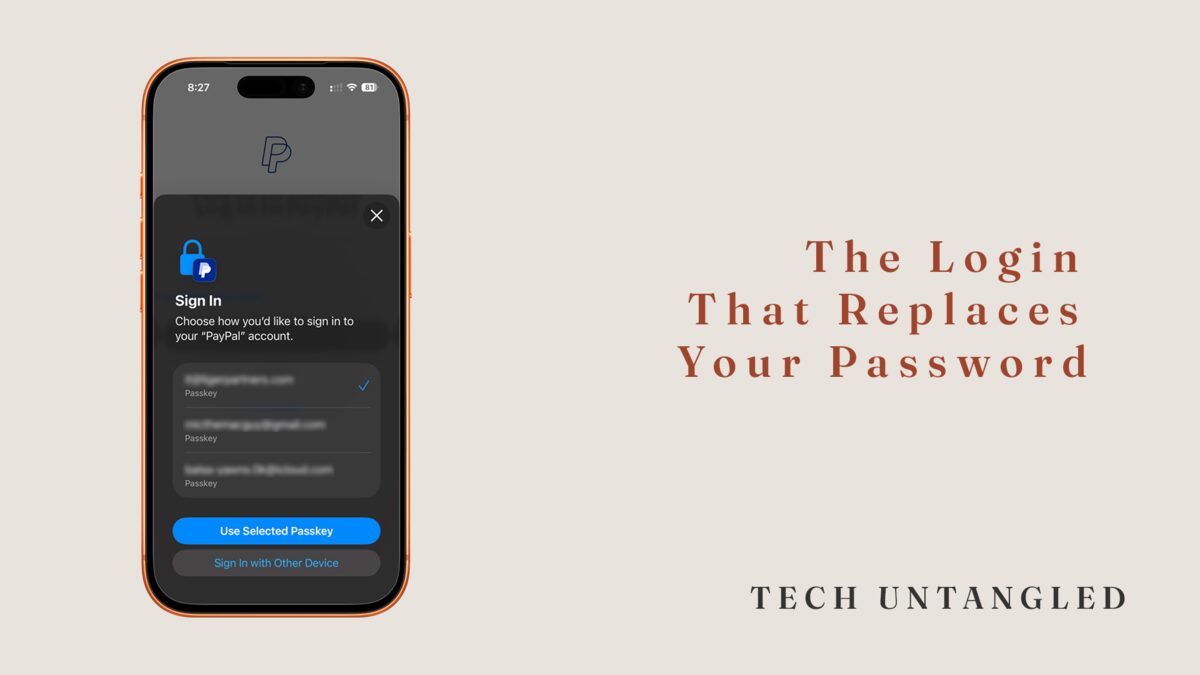
I say yes to this stuff early. New feature, new setting, the prompt everyone else ignores, I'm tapping it before I've finished reading. So when my phone first offered to save a passkey, I turned it on without thinking twice. Which is its own kind of problem, because I said yes to something I could not have explained to you if you had asked.
What I kept noticing was everyone else. Smart, capable people would get the same little box, the one that slides up in the middle of a login and offers the word passkey, and they would tap Not Now. Every time . Not because they were careless. Because the box held out a word and never told them what it meant. Declining a word you don't know is the reasonable thing to do. The prompt was the failure, not the people reading it.
What a Passkey Actually Is
A passkey is not a better password. It is the end of the password.
Here is the part nobody explains. A password is a secret you hold and hand over. Every time you log in, you type your secret into a box and send it off, trusting that the box is real and that the other end keeps it safe. That is the whole arrangement, and it has one permanent flaw. Anything you can hand over, someone else can take. It can be guessed, reused, leaked in a breach you never heard about, or typed into a page that only looked real.
A passkey works the other way around. The secret never leaves your device. When you set one up, your phone creates a key, keeps half of it locked inside itself, and gives the website the other half, which is useless on its own. To log in, you do not type anything. You confirm with your face or your fingerprint, and your device proves it is you. Nothing gets handed over, because there is nothing to hand over.
Why This Is What Last Week Was Pointing At
If you read last week's issue , this clicks fast. Two-factor asked for two kinds of proof. Something you have, your phone, and something you are, your face. A passkey takes those same two and makes them the entire login. Your device is the something you have. Your face is the something you are. There is no password sitting underneath anymore, because the password was the weak part the other two were propping up.
That is also why a passkey cannot be phished. A fake login page works by getting you to type your secret into it. A passkey gives you nothing to type. There are no keys to hand to a stranger who built a door that looks like yours.
Where You Will See It, and What to Do
You do not have to go looking for this. It comes to you. The next time a website or your phone offers to save a passkey, set up a passkey, or sign in faster, that is the offer. Say yes. It will ask you to confirm with the same face or fingerprint you already use to unlock your phone. That is the whole setup.
The accounts that matter most already support it. Your Apple or Google account, the one your phone runs on, and many of the big ones you use every day, like Amazon and PayPal. Start with the account your phone runs on, the same way you would start anywhere, because it is the key to the rest.
Two things tend to worry people. First, your passkeys are not trapped on one device. They save to your Apple or Google account and follow you to a new phone, the same way your photos do. Second, turning on a passkey usually does not delete your password. The old way still works as a backup while you get used to the new one. There is no trap door here. You are adding a faster, safer way in, not closing the old one.
One Simple Win
The next time your phone or a website offers you a passkey, say yes instead of Not Now. Just once, on one account you already trust.
If you would rather not wait for the offer, open your Apple Account or Google Account settings, find the sign-in or security section, and add a passkey there. Either way, the next time you log in, watch it ask for your face instead of a password. That one moment is the whole point, and it tends to land harder than any explanation.