Issue 013
Topic: Device care
The habit that's actually draining your battery
I was at my parents' house recently and watched my mom do the thing she always does before she sets her phone down. She opened the app switcher and swiped up on every app, one by one, until the screen was empty. When I asked her why, she said what I've heard a hundred times from a hundred different people: "I don't want all those apps running in the background."
She's not wrong for thinking that. It sounds perfectly logical. But it's backwards.
The Core Idea
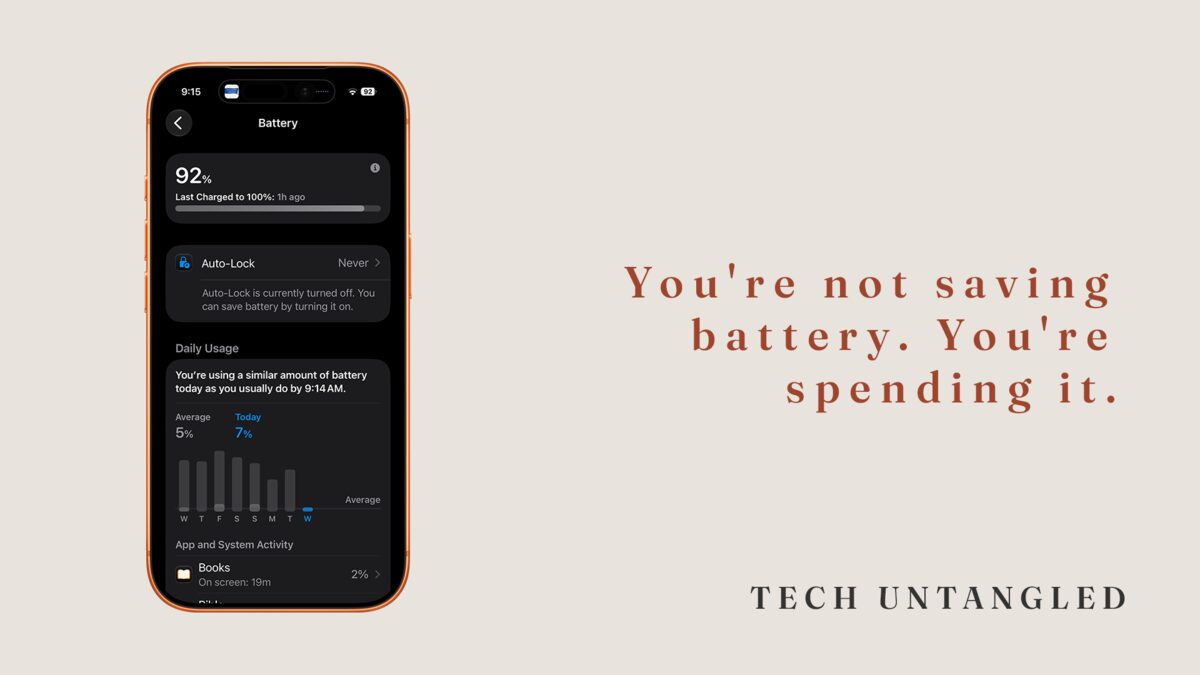
When you swipe an app closed, you're not saving battery. You're spending it.
Here's what's actually happening. When an app is sitting in your app switcher, it's not running. It's paused.
Think of it like a book on a table, open and face-down, holding your page. It's not doing anything. It's just waiting so that when you come back to it, it opens instantly, right where you left off.
When you swipe it away, you're closing the book.
The next time you open that app, your phone has to start it from scratch. It reloads the app, reloads your data, rebuilds what you were looking at. That reload takes processing power. Processing power uses battery. So every time you force-close and reopen, you're making your phone work harder than if you'd just left it alone.
Both Apple and Google have said publicly that you don't need to do this. The operating system already knows how to manage what's in the background. It pauses what you're not using and frees up resources when it needs them.
When you swipe-close everything, you're overriding a system that was already handling it for you.
Why the Myth Sticks
This one is hard to let go of because it comes from a place that used to be true. On older computers, running too many programs at once genuinely slowed things down. People learned the habit there and carried it to their phones.
But phones don't work like computers from 2006. The operating system is designed for this. It's constantly deciding what stays active and what gets frozen in the background. That's its job. Swiping everything closed is like reorganizing a filing cabinet that someone already organized five minutes ago.
The deeper reason the habit sticks is that it feels productive. Clearing those apps gives you a clean screen. It feels like tidying up. And that feeling is real, even if the benefit isn't. That's the tricky part. The habit rewards you emotionally while costing you technically.
What Actually Drains Your Battery
If closing apps isn't the answer, what is? A few things worth checking instead:
Screen brightness. This is the single biggest battery drain on any phone. If yours is set to maximum or you've turned off auto-brightness, that's where a significant chunk of your battery is going every day.
Location services. Some apps ask to track your location all the time, even when you're not using them. A weather app doesn't need to know where you are every second. It only needs to know when you open it. Changing "Always" to "While Using" for apps that don't genuinely need constant access can make a noticeable difference.
Background App Refresh. This is different from apps sitting in your switcher. Background App Refresh lets certain apps check for new content even when you're not looking at them. Your email app checking for new messages every few minutes, your news app pulling headlines, your social apps refreshing feeds. Turning this off for apps that don't need it can help. But don't confuse this with apps sitting quietly in your app switcher. Those aren't refreshing. They're just waiting.
Old battery. If your phone is more than two or three years old, the battery itself may have degraded. On an iPhone, you can check this under Settings, Battery, Battery Health. If the maximum capacity is below 80%, the battery is worn and no amount of app-closing will change that.
One Simple Win
Open your app switcher right now. Look at all those apps sitting there. Leave them alone.
Instead, go to Settings, then Battery. Look at which apps have used the most battery in the last 24 hours. That list will tell you more about what's actually draining your phone than any amount of swiping ever could.
Check yours. I'd love to know what surprised you.