Issue 019
Topic: Privacy
Ask App Not to Track isn't doing what you think.
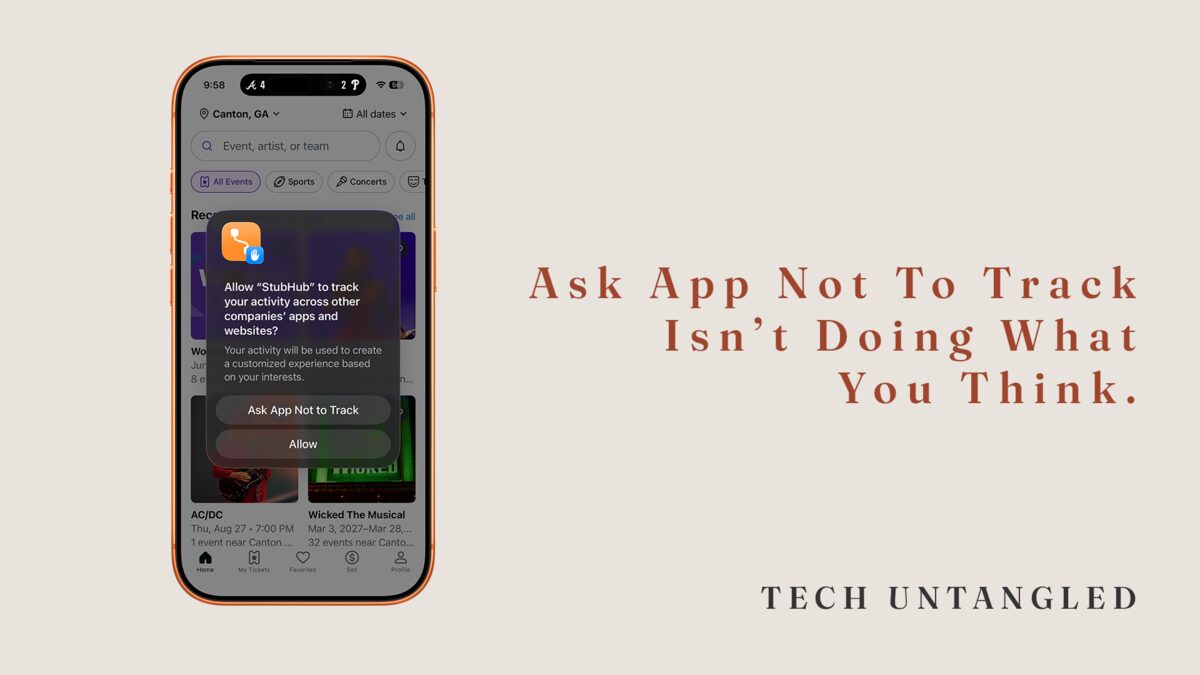
A friend showed me her phone last week. She was annoyed that Instagram kept showing her ads for a hiking backpack she'd looked at on REI's website the day before. "I thought I told all these apps not to track me," she said. She had. She'd been tapping "Ask App Not to Track" on every prompt Apple gave her for years. She assumed that was the whole conversation. It wasn't.
The Core Idea
When Apple introduced App Tracking Transparency in 2021, it gave iPhone users a clean-looking question: "Allow [App] to track your activity across other companies' apps and websites?" Two buttons. Allow, or Ask App Not to Track. The language sounds definitive. You're telling the app to stop. End of story.
Here's what's actually happening underneath.
Apple assigns every iPhone a unique identifier called the IDFA (Identifier for Advertisers). Think of it as a serial number advertisers use to recognize you across different apps. When you tap "Ask App Not to Track," you're telling that one app it can't use that one identifier to stitch together what you do inside its walls with what you do everywhere else.
You're not telling it to stop collecting data. You're not telling it to stop building a profile on you. You're telling it to put down one specific tool.
The app can still track what you do inside the app itself. It can still collect your email, your phone number, your approximate location, the device you're holding, the time you open it, what you tap, what you scroll past. It can share that data with partners under other legal bases. It can use different techniques (fingerprinting, probabilistic matching, shared logins) to recognize you across contexts without needing the IDFA at all.
Why It Still Matters
This isn't a "the button is fake, don't bother" piece. The button is real. Meta itself said Apple's privacy change would cost the company $10 billion in revenue in 2022, because a lot of advertising infrastructure genuinely depended on that one identifier. Ask App Not to Track does real work.
It's just not doing all of the work.
A lot of us (me included, the first time I saw the prompt) treated the button as the end of the privacy conversation. We thought we'd answered the question. We'd answered one specific version of it. The advertising industry noticed immediately and started answering a different version instead.
Ask App Not to Track tells one app to put down one tool. The industry already moved on to the others.
What Else Is Happening
If the IDFA is off the table, advertisers need other ways to connect the dots. So they use other ways.
First-party data is the big one. When you log into an app with your email, give it your phone number, or sign in with Google or Apple, you've just given that app a permanent way to identify you that doesn't need the IDFA. That data gets shared with "partners" constantly. ATT doesn't touch it.
Fingerprinting is the other one. Your device has hundreds of characteristics (screen size, installed fonts, time zone, language settings, keyboard layout, battery level) that, combined, form a pattern specific enough to recognize you without any formal identifier. This technically violates Apple's rules. Enforcement is uneven, and a lot of it happens anyway.
And then there's just the normal thing apps do: watch you inside their own walls. Instagram doesn't need to track you across the web to know you've been looking at hiking content on Instagram. It already has that.
Still Shifting
The tracking landscape is not a settled thing. Apple keeps expanding ATT's scope, with rumblings about requiring the same disclosure for first-party tracking, which would be a much bigger deal if it happens. Google has its own version for Android that's significantly weaker. The EU has layered its own privacy laws on top of all of this. Advertisers are quietly moving toward techniques that don't depend on device identifiers at all.
Whatever the state of this is today, it won't be the state of it in two years. The button you tap now is part of a conversation that's still being drafted, by people who aren't asking you.
What You Can Actually Do
Knowing all of this doesn't mean you have to become a privacy researcher. It means you can stop pretending the button solved it.
Keep tapping Ask App Not to Track when prompted. It does do real work, and the cumulative effect across apps adds up.
Go one level higher in your settings and turn off the prompts entirely. On iPhone, go to Settings > Privacy & Security > Tracking, and toggle "Allow Apps to Request to Track" off. Every app on your phone now has to behave as though you already said no.
Be more careful about where you log in with your real email, Google, or Apple ID. Those identifiers survive everything ATT does.
When you're installing a new app, look at its privacy label in the App Store. Apple requires every app to disclose what it collects. The label is imperfect, but it's honest more often than not.
If you use Safari and pay for iCloud+, turn on Private Relay. It's not a VPN, but it meaningfully reduces fingerprinting while you browse.
One Simple Win
Go to Settings > Privacy & Security > Tracking on your iPhone. Toggle off "Allow Apps to Request to Track."
That's it. Every app on your phone now has to behave as if you tapped "Ask App Not to Track." No more prompts. No more remembering to tap the right button. One setting, five seconds, done.
It doesn't solve the whole problem. Nothing does. But it's the cleanest single action you can take this week.
Somebody in your life has been tapping that button confidently for years, trusting that it did the thing it sounded like it did. They weren't wrong to trust Apple more than the companies on the other end. They were just working from an incomplete picture. Forwarding them this issue is a real gift.