Issue 020
Topic: Everyday tech
You stopped seeing your notifications years ago
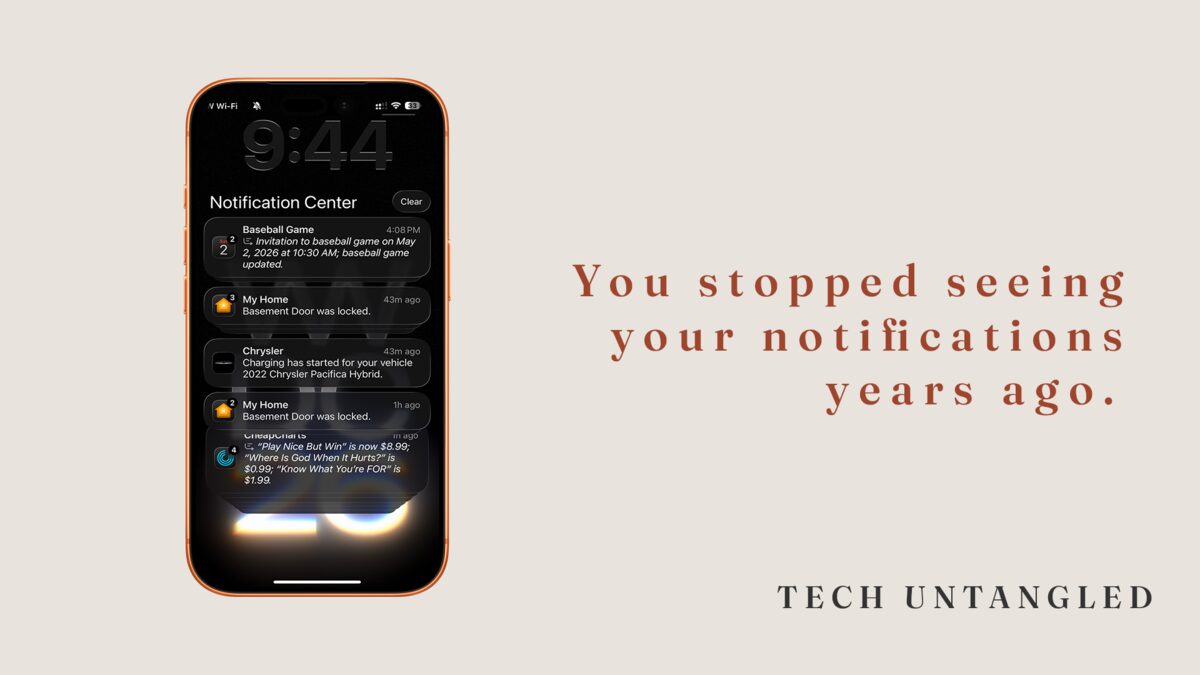
A friend of mine, Sarah, called me a few weeks ago, upset. Her dad had been in the hospital. The hospital sent her a text update about a procedure, the kind of message you'd think a person watches their phone for. She didn't see it for six hours.
When she finally checked, the message was buried under thirty-seven other notifications. App updates. A delivery confirmation for something she ordered. Three different stores telling her about sales. A reminder that her screen time was up. A weather alert. Two app review requests. A "you haven't opened me in a while" guilt trip from a meditation app.
She didn't ignore the hospital text on purpose. She'd trained herself, over years, to swipe everything away without looking. The important message arrived through the same channel as the noise. By the time it hit her lock screen, her thumb had already done what it always does.
That conversation has been sitting with me ever since.
The Core Idea
Notifications are not one thing. They feel like one thing because they all show up the same way: a buzz, a banner, a number on an app icon. But underneath, they fall into two completely different categories that the system itself does not distinguish.
There are notifications that are about you . A text from your spouse. A calendar reminder. A bank alert that a charge looks unusual. A message from a doctor's office. The kind of thing that, if you missed it for a day, would actually matter.
Then there are notifications that want you to do something for the company that sent them . Open the app. Look at this sale. Come back, you haven't been here in a week. Watch this. Try this. Buy this.
Both arrive on the same screen, with the same buzz, in the same order. So your brain stops sorting them. It just builds a single reflex: dismiss everything, get back to what you were doing.
That reflex is rational. There is no way for a human to triage thirty notifications a day in real time. The problem is the reflex doesn't know how to make exceptions. The hospital text and the meditation app guilt trip both get the same treatment.
What the system is actually doing
Every app you install assumes its notifications are important. The default for most apps is "send everything." Marketing teams measure whether they're sending enough. Product teams add new notification types whenever they ship a new feature. Nobody is on your side in this. There is no central dashboard that asks "is this person actually getting value from being interrupted right now?"
The result is what you live with: hundreds of notifications a week, almost all of them low-value, occasionally one that matters, and your attention spread so thin across them that you stopped looking.
The fix isn't to turn everything off. People try that, panic when they miss something, and turn it all back on. The fix is to do what the system should have done for you: separate the signal from the noise.
You don't have a notification problem. You have a sorting problem.
Most people think they need fewer notifications. What they actually need is for the right ones to feel different .
Your phone can do this. It has been able to do this for years. Almost nobody knows.
On an iPhone, every app's notification settings are independent. You can let your bank send you alerts that buzz, light up your screen, and stay on the lock screen until you read them. You can let a shopping app send you notifications that quietly pile up in a drawer you'll only see if you look. The same buzz doesn't have to apply to both.
On Android, the structure is similar. Per-app categories, per-channel importance levels, the ability to silence one type of message from an app while letting another type through.
The reason your notifications feel like a wall of noise is that almost every app on your phone is set to the same level of urgency by default. Your bank and a clothing retailer both buzz the same way because nobody ever told you that you could change that.
The unresolved part
Even with the best settings, the underlying problem doesn't fully go away. Apps update. New ones get installed. Each one ships with notifications turned on. The work of keeping the noise down is ongoing, not a one-time fix.
Apple and Google both keep saying they'll solve this with smarter defaults, AI summaries, focus modes, scheduled deliveries. Some of those tools genuinely help. None of them have replaced the basic act of going through your settings and deciding what gets to interrupt you.
That part still belongs to you. The phone won't do it on its own.
What this looks like in practice
The fix is one screen and a few minutes of honesty.
On iPhone, open Settings, then tap Notifications. You'll see a list of every app that's allowed to send you something. Scroll through it slowly. For each one, ask the same question: if this app sent me a message right now, would I want my phone to buzz?
For most of them, the honest answer is no. You don't need a buzz when a game wants you back. You don't need a banner when a shopping app announces a sale. You don't need a sound when a social app tells you someone you barely know posted something.
For each app where the answer is no, you have options. You can turn off Sounds. You can turn off Banners. You can turn off Lock Screen. You can let the notification still arrive in the Notification Center, where you'll see it when you choose to look, but not have it interrupt you.
For the small handful of apps where the answer is yes — your messaging apps, your bank, your calendar, anything tied to the people and obligations that actually run your life — leave them alone. Or turn them up. Make sure those alerts feel different from everything else.
On Android, the path is similar: Settings, then Notifications, then App notifications. Same idea. Same questions.
One thing worth doing while you're in there
Look for an app you don't even remember installing that has notifications turned on. There will be at least one. Probably several. Turning those off is the cleanest win available, because it costs you nothing and clears noise you didn't even realize was there.
Picture the person in your life who has 4,000 unread badges on their phone. The friend, the parent, the sibling who treats their phone like a wall of static they've stopped trying to read. They are not bad at this. They were handed a system that never had a default that made sense for a human, and they did the only thing a person can do when the volume is too high. They turned themselves down instead of the noise.
This issue is for them, and it's for the version of you that has done the same thing and didn't notice.
One Simple Win
Open Settings, then Notifications. Scroll until you find one app that is sending you notifications you do not want. Just one. Turn off Sounds, Banners, and Lock Screen for that app.
You don't have to do it all tonight. You just have to prove to yourself that the system bends to you, not the other way around.