Issue 047
Topic: Privacy
Two people, one Apple Account. Your phone can't tell you apart.
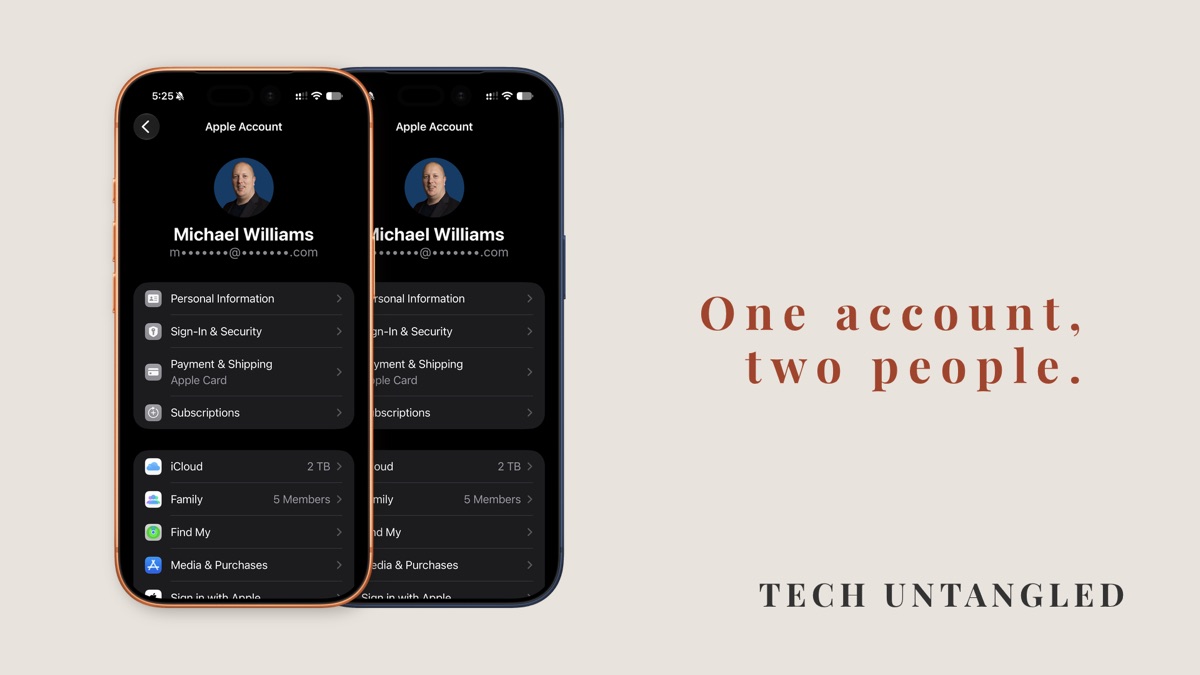
A warning went around Facebook a while back saying an iPhone update had quietly turned on a setting that let someone remotely see everything you do on your phone. A few people sent it to me, so I went and looked.
The setting was real, and it was on for my iPhone too. It belongs to Live Listen, a hearing feature that turns the iPhone into a microphone for your AirPods or hearing aids. The switch lets other devices control it, and the small gray text under it said which devices those were: nearby ones signed in to your Apple Account.
For most people, that means their own Apple Watch, which is nothing to worry about.
But I kept thinking about the people who set up their phones years ago on the same account as their husband or wife and never changed it. For them, "your Apple Account" covers two people. That's a much bigger deal than one hearing setting, and it has nothing to do with the warning.
Your iPhone thinks the two of you are one person
Your Apple Account is the email address and password you signed in with when you set up your iPhone. Your purchases, iCloud storage, messages and backups are all tied to it. Apple used to call it an Apple ID.
An account is built for one person. Your phone assumes whoever is signed in is you, and it keeps everything on that account in sync across every device signed in to it. That's what makes it handy when the account is yours alone. Your iPad shows the same texts as your phone, and your watch knows about your workouts.
Put two people on that account and the phone keeps doing exactly the same thing. It doesn't know there are two of you.
Apple is direct about this. Its support page on the subject says Apple recommends you don't share your Apple Account, and that if you do, "certain services will treat you as the same person."
What that looks like day to day
Apple lists what tends to happen. Texts and voicemails meant for one of you can show up on the other's phone. Your recent calls list can include calls the other person made and received. Workouts and Health details can cross over too.
Smaller things get tangled as well. If you share an Apple Music subscription this way, you share one library and one set of recommendations. Podcast episodes and book bookmarks can sync to the other person's settings or get deleted by accident.
And any feature that reaches devices signed in to your Apple Account reaches both of you, like that Live Listen switch.
None of that means anyone is snooping. Most couples who share an account trust each other completely. The trouble is that things mix together that were never meant to.
There's one more piece, and it's the one I'd think about longest. Apple says the owner of a shared account keeps all the purchases. Every app, song, movie and book bought on it belongs to whoever's account it is. If the two of you ever stopped sharing it, the other person could lose access to all of it, including things they bought themselves.
Why so many people ended up here
It made sense at the time. Before 2014 there was no built-in way for a family to share what they'd bought, so using one account was the simplest way to avoid paying for the same app twice. Plenty of homes also had one person who handled the tech, and that person set up everyone's phone the way they knew how.
Nobody told you to change it later, and the phone never complained. It kept working, which is exactly why it's still set up that way.
What Apple built for families instead
Family Sharing lets up to six people, each with their own Apple Account, link together. You keep your own account and your own things, and you share what's worth sharing.
Purchases are the big one. Once Family Sharing is set up, the apps, music, movies and books one person buys can be downloaded by the others, as long as the app allows it. Subscriptions like Apple Music and iCloud storage can be shared too, so you still pay for one plan.
Sharing the storage doesn't mean sharing what's in it. Apple says each person's photos and documents stay private, even on a shared plan. If you want a family photo album or a shared calendar, you can set those up on purpose.
Location sharing is there if you want it, so you can see each other in the Find My app. You can also leave it off.
If you share an account now
You don't have to fix this tonight. It's worth doing on a calm afternoon, with both phones charged and both of you in the room.
On iPhone, Apple's steps go in this order. One person keeps the existing account, usually whoever's email address is on it. The other person signs out of that account on their own phone, creates a new Apple Account, and signs in with it. Then the person who kept the original account sets up Family Sharing and invites the new one.
Two things to know before anyone signs out. You'll need the password for the shared account, so make sure it works first. And when the phone signs out, it asks whether to keep a copy of things like contacts and calendars on the phone. Keep them.
Photos take more thought. Photos stored in iCloud stay with the old account, so if you have years of pictures mixed together, plan that part before you start, or get help from someone who's done it before.
Apps bought on the shared account stay with that account. Once Family Sharing is set up with purchase sharing turned on, the person with the new account can download most of them again without paying twice.
On Android, the same idea holds. A Google Account belongs to one person, and Google has its own family group for up to six people. Each person keeps their own account, Google One storage can be shared, and Google says family members can't see each other's files unless they share them directly.
One Simple Win
Find out whose account is on your phone. Open Settings and tap your name at the very top. The screen that opens shows the email address your account uses.
If someone else in your house has an iPhone, look at theirs too. If it's the same email address on both, you're sharing one account. That's all you need to know today. Fixing it can wait for an afternoon when you have time.
It takes about two minutes.