Issue 030
Topic: Wi-Fi and internet
Your headphones aren't broken. They're connected to something else.
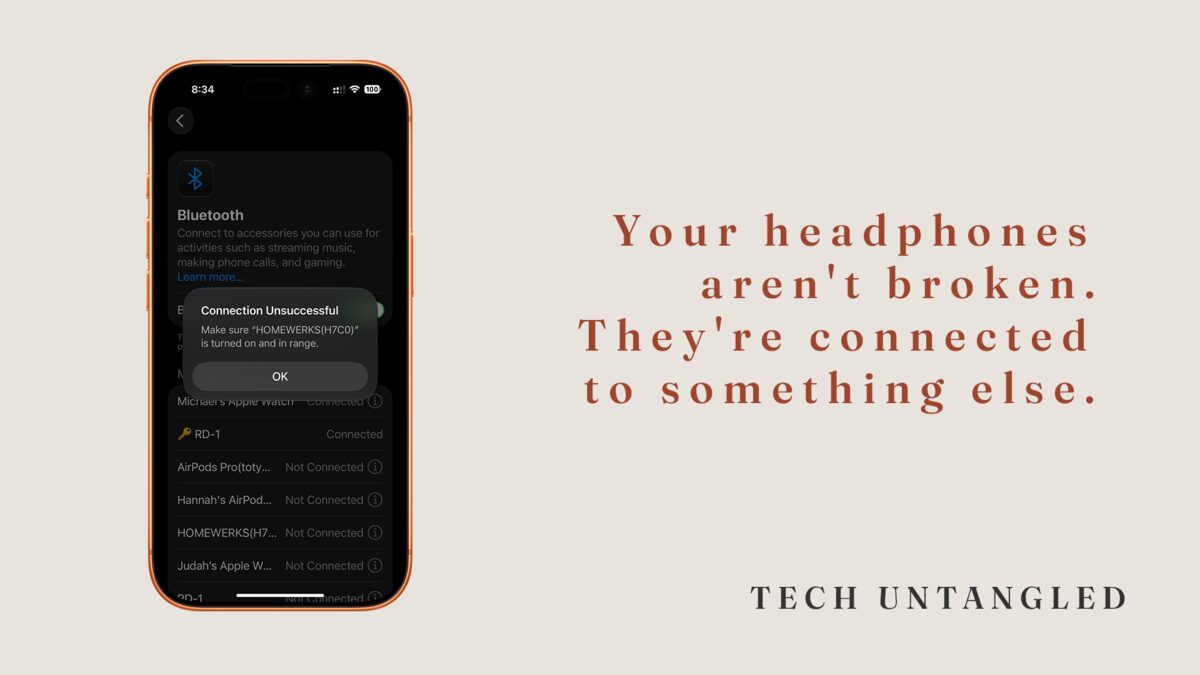
Not long ago I sat with someone who was sure her headphones had finally died.
She pressed the button. She held the button. She put them back in the case, took them out, and tried again. Then she told me she'd probably just buy a new pair. The headphones were fine. They were sitting three feet away, still connected to her laptop, doing exactly what she'd told them to do the last time she used them.
This happens all the time. Not because people are careless with their devices, and not because the devices are cheap. It happens because Bluetooth keeps a secret it never tells you. It remembers everything it's ever connected to, and it'll quietly go back to one of them without asking.
Pairing happens once. Connecting should happen on its own.
There are two different things going on when you use a wireless device, and they get folded into one word.
The first is pairing. Pairing is the introduction. It happens one time. You put the headphones in pairing mode, they show up on your phone, you tap them, and now the two devices know each other. You don't have to do that again.
The second is connecting. Connecting is what should happen automatically every time after that. You open the case and the headphones find your phone on their own. No tapping, no menu, no button held down for ten seconds.
When people say Bluetooth never works, what they almost always mean is that connecting failed. And connecting fails for one boring, fixable reason. The device was already connected to something else.
A pair of headphones can only play sound from one device at a time. Your phone, your laptop, your tablet, the TV, a partner's phone in the next room. It picks one. And it tends to pick whatever it talked to most recently, whether or not that's the thing in your hand right now. So you reach for your phone, the headphones are still tied to the laptop down the hall, and nothing you press on the phone can pull them over. From where you're standing, they look broken. They're just busy.
I do this to myself more than I'd like to admit. I'll be on a call at the dining room table, walk into the kitchen with my phone, and the sound stays pinned to the Mac while I stand there wondering what went wrong.
The button everyone learned to press
When connecting fails and you don't know why, there's one button that usually works. Forget This Device. You forget the headphones, put them back in pairing mode, and pair them fresh. And it works. The sound comes back. So that becomes the routine. Every time they won't connect, you forget and start over.
Here's the problem. Pairing was supposed to be the thing you do once. Turning it into a daily ritual is like reintroducing yourself to a coworker every morning because you're not sure they'll remember your name. It's slow, it's a little stressful, and it teaches you that the whole thing is fragile when it isn't. You built a workaround for a problem that had a thirty-second fix, because nobody ever showed you the fix.
The fix, in order
Next time a device won't connect, before you forget anything, ask one question. What else in the house or the bag might it be connected to right now.
Start with the device you actually want the sound to come from. On that phone or computer, open the Bluetooth settings. You'll see a list of everything it's ever paired with. Find your headphones in that list and look at the label next to the name. It'll usually tell you whether they're connected at this moment.
If they're connected somewhere else, go to that other device and either turn its Bluetooth off or tell it to disconnect. On most things you can tap the device name to disconnect, or switch Bluetooth off for a moment. The headphones are now free.
Back on the device you want, tap the headphones in the list. That's the real reconnect. Not forgetting, not re-pairing. Just tapping the name to say come here. Nine times out of ten, that's the whole thing.
Forgetting a device still has a job. It's the right move when you're handing the headphones to someone else, or when something is genuinely stuck and won't behave no matter what you do. It's the last resort, not the daily habit.
The habit that makes all of this disappear is small. Connect from the device you want to use. Disconnect from the one you don't. Once you can see that a Bluetooth device is only ever paying attention to one thing at a time, the mystery goes away. It was never broken. It was listening to something else.
One Simple Win
Open the Bluetooth settings on your phone right now and look at the list of paired devices. You're not changing anything. You're just looking. That list is your phone's memory of every wireless thing it's ever met.
Find one device you've fought with before, and look at whether it says connected. If it does, and you're not using it, you've just caught the exact thing that trips everyone up. The next time it won't connect, you'll know where to look first.