Issue 049
Topic: Scams and safety
You don't have to understand AI to let it read your mail.
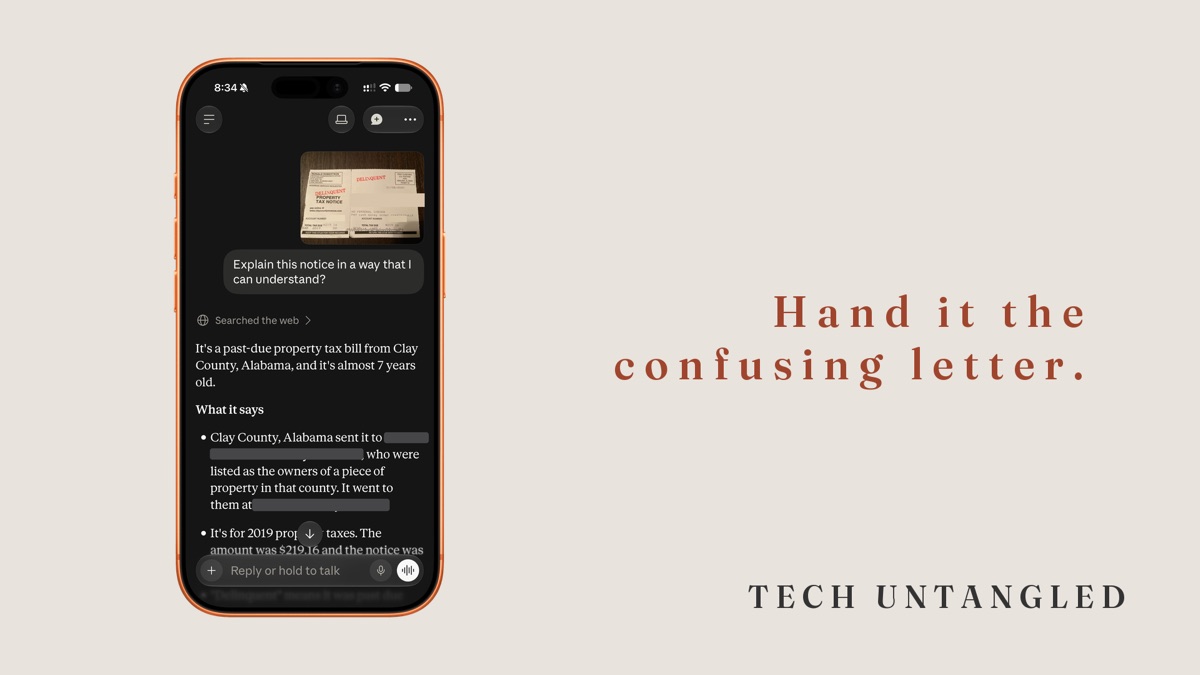
About a year after we bought our house, back in 2020, a property tax notice showed up in our mailbox addressed to the people who lived here before us. It's printed on card stock with DELINQUENT stamped across it in red, and it's for a property in another state. I took a picture of it at the time.
I know what a delinquent tax bill is, so I didn't need anyone to explain it to me. What it made me think about was the question I'd actually ask if a letter like that ever had my name on it, which is what's the best thing for me to do about it. In 2020 there wasn't an app on my phone I'd have asked.
This fall I handed that old photo to an AI app on my phone. The first thing it pointed out was that the notice was almost seven years old. It found the date in the corner and did the math against today's date before it said a word about the amount due. That was right, and it also couldn't have known the photo was taken in 2020 or that the bill wasn't mine. It only knew what was printed on the page.
I've been helping people with their technology for a long time, and an awful lot of that help is sitting next to someone with a letter and saying, here's what this is and here's what I'd do about it. These apps can now do a decent version of that, any hour of the day, as long as you tell them what they can't see.
It's built for exactly this kind of reading
An AI chat app is a program you talk to by typing or speaking, and it answers in full sentences. ChatGPT, Google Gemini, Claude and Microsoft Copilot are the best known ones, and each has a free version for your phone.
These apps learned by reading an enormous amount of written text. That makes them unusually good at language, and confusing letters are a language problem. Insurance statements, tax notices, medical bills and letters from the bank are written by people who use the same words every day and forgot nobody else does. An explanation of benefits from a health insurer, for instance, is a page of codes and columns that mostly comes down to what you owe and what you don't. Turning that kind of thing into plain English is close to the ideal job for these apps.
They can also read a photo. You don't have to type the letter in. You take a picture of it, and the app reads the text off the page the way you would.
It sounds just as sure when it's wrong
Here's the part to keep in mind. These apps work by predicting which words most likely come next, based on everything they've read. Most of the time that produces a correct, clear answer. Sometimes it produces a wrong answer written in the same calm, confident tone, and there's no change in the voice to warn you.
That matters even more once you're asking it what to do, because a wrong answer to that question costs more than a wrong explanation. Use it to understand the letter and think through your options, and use the letter to check the answer. Anything with a dollar amount, a deadline or a decision attached gets matched against the paper itself. A good habit is to ask, "Where on the letter does it say that?" and then look.
If something still matters after that, call the office that sent it. Look the number up yourself on their official website or an older statement, rather than trusting a number the app gives you.
What to keep to yourself
Before you take the picture, cover anything you wouldn't read out loud to a stranger. Account numbers, your Social Security number and your full date of birth are the usual ones. A sticky note works fine. The app doesn't need them to explain what the letter means.
Some of these apps may use your conversations to improve their systems unless you turn that off. Each one has a privacy section in its settings, and it's worth a look the first time you set it up.
One more thing it can't do for you. It can tell you what a letter says. It can't tell you whether the letter is real. If a letter is pushing you to pay quickly or call a number right away, check with the sender using contact details you find yourself, the same rule as any other message that makes you nervous.
How to ask
The apps work the same way on an iPhone and on an Android phone. Download one from the App Store or the Google Play Store and make a free account. Gemini often comes already installed on Android phones.
Tap the plus sign or the camera icon next to the typing box, take a picture of the letter, and then type a question underneath it. Ask the question you'd actually ask a person you trust. For most mail, that's this one:
"What is this, and what's the best thing for me to do about it?"
After it answers, you can keep going the way you would with a person. "Is there a deadline?" "What happens if I don't?" "What should I ask when I call them?" It remembers the letter for the rest of that conversation.
Tell it anything it can't see on the page, too, like whether the letter is even addressed to you or whether you've already paid. The answer to "what should I do" depends on all of that, and the app only knows what you show it or tell it.
If typing is a chore, most of these apps have a microphone button next to the typing box, and you can ask your question out loud instead.
One Simple Win
Find one piece of mail that's been sitting on the counter because it was confusing. Cover the account number with a sticky note, take a picture of it in one of these apps, and ask: "What is this, and what's the best thing for me to do about it?"
Then check one thing it told you against the letter itself. It takes about five minutes.